 Treecat Help
Can my assistant or team use my Treecat account?
Invite helpers to your Treecat store as guests for free. What guests can and cannot do, how to invite them, and how it affects billing.
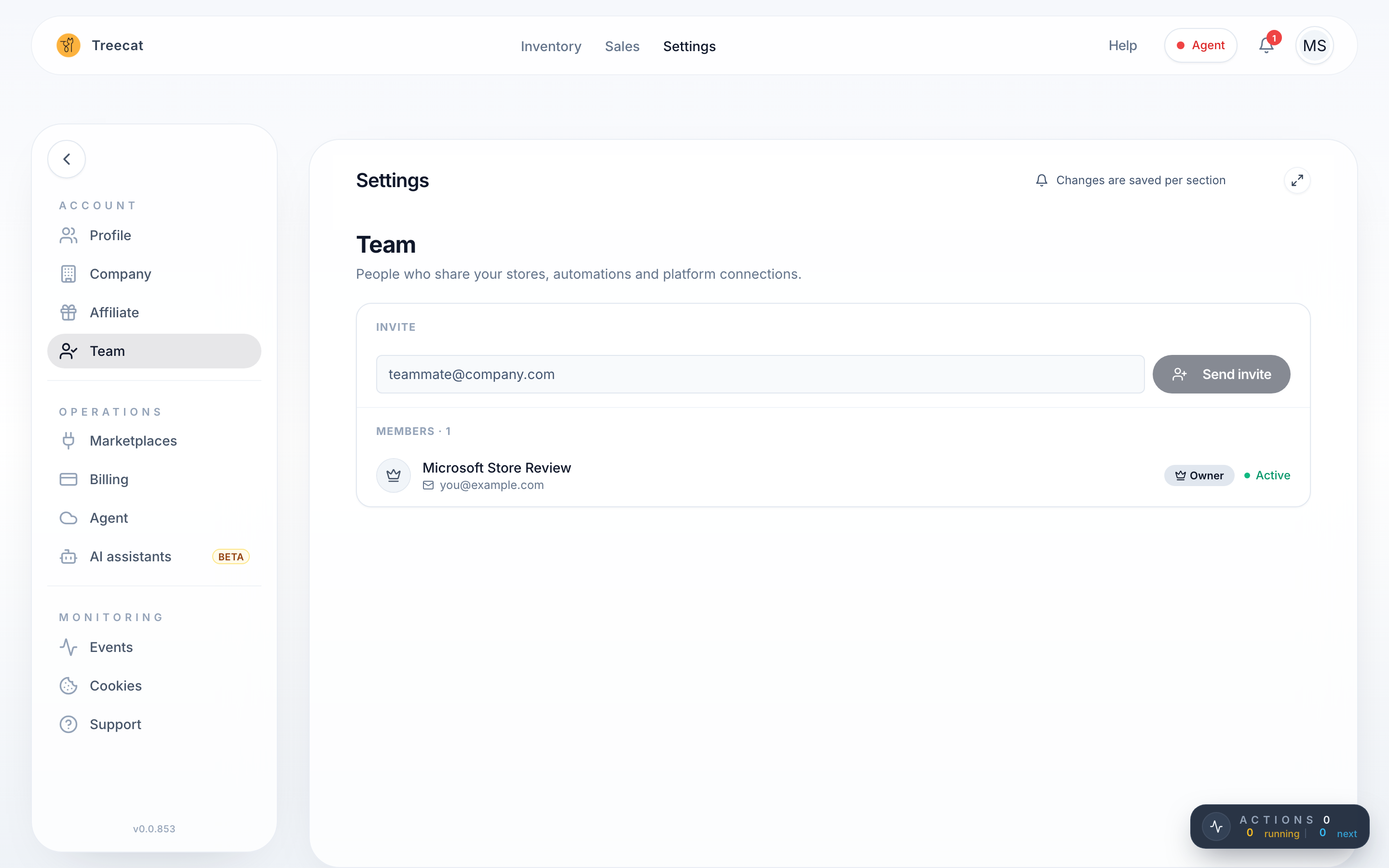
Yes. Invite as many guests as you like from Settings → Team with Send invite. Guests are free and do not change your pricing. They sign in with their own Google account and can list, crosslist, edit and delist, but they cannot change billing or connect marketplaces, and they never see your marketplace passwords.
Invite a guest
- Open Settings → Team.
- Enter your helper's email and click Send invite.
- They sign in to Treecat with that Google account, accept the invite, and work in your store.
Note: The Google account you invite must not already have its own Treecat account. If that person has ever signed in to Treecat with that email, ask Treecat support to clear the old account first, or invite a different Google account.
What guests can and cannot do
| Action | Guest |
|---|---|
| List, crosslist, edit and delist items | Yes |
| Use matching, relisting and closet sharing | Yes |
| See your marketplace usernames or passwords | No |
| Change billing or payment methods | No (the Billing tab opens read-only, in Guest mode) |
| Connect a new marketplace or change marketplace logins | No |
| Company and Affiliate settings | No (hidden) |
Warning: Guests can manage listings almost like you can, so only invite people you trust.
If your store has no valid payment method, guests see Account owner action required on Settings → Marketplaces: the owner needs to add one before Treecat can connect and communicate with the stores.
Remove a guest or leave a team
- As the owner: on Settings → Team, click Remove from team next to the person.
- As a guest: on Settings → Team, click Leave team, or on Settings → Profile use Discontinue guest access. You lose access immediately, and the owner must re-invite you to get it back.
Frequently asked questions
Does adding guests change what I pay?
No. Billing is per sale, the same whoever did the work. See How Treecat pricing works.
Should my helper sign in with my Google account?
No. Do not share your Google login. Invite the helper as a guest so they use their own Google account.
Last updated on